Open Command Window Here in Windows 7

Being a hard core java programmer the Windows console is only one step away from me. In Windows 7 I use a nifty inbuilt feature which allows me to open a command window and switch to a given directory in a single step.

  • Using My Computer / Windows Explorer navigate to the relevant folder.
  • Press Shift and do a Right Click either on the folder name.
  • You will get a popup menu with the option “Open Command Window Here”.
  • Clicking on this option will open the console / terminal window with this folder as the current directory.
  • You can Right Click on an empty area as well to open the console/terminal for the current folder.

This facility is a time saver and I really like using it every now and then.

Old Games and Old Memories

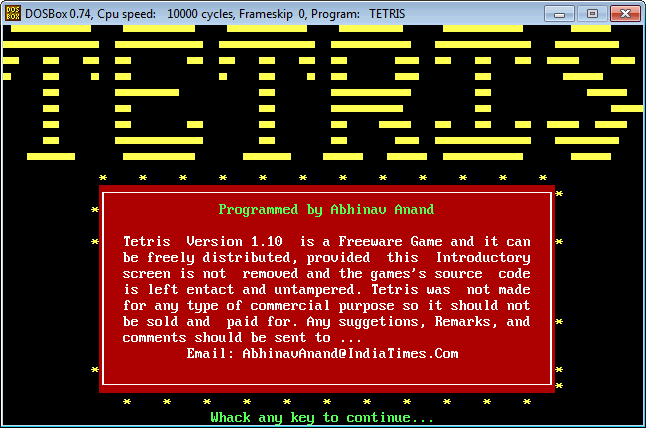
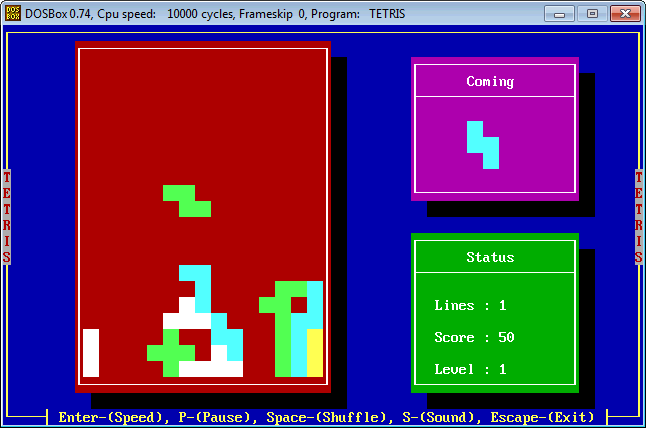
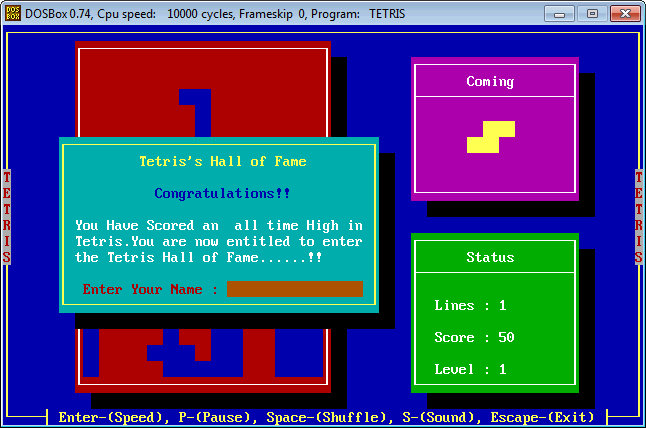
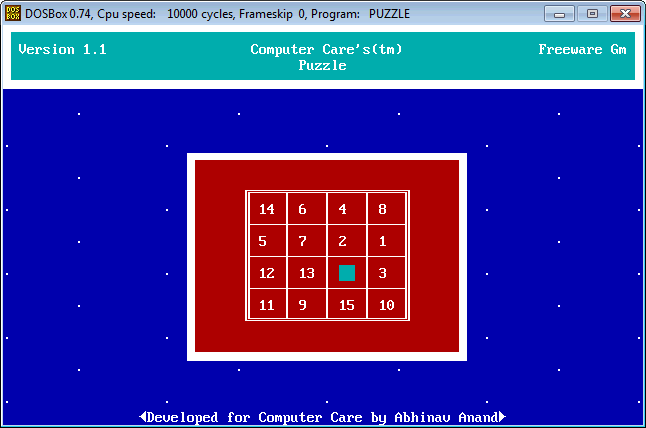
I had been digging in my email account for some reasons and voila I found the binaries of two games I developed around year 2000. These games were written in FoxPro as I found FoxPro very interesting those days. I used to develop financial apps in FoxPro and I still believe that it was a good development platform albeit not suitable for game development but anyways these two were simple text based games. I just downloaded the binaries and they still work but via ‘DOSBox’ which is a Dos emulator shell for newer windows version.

I developed these games to basically promote the services of the company for which I did freelancing. I figured that with some free games floating around people would find out about this company. Actually the plan failed miserably as I don’t think we made any new contact that way. But the games still work and it feels nice to see them operating after all these years. I would have loved to tweak around the source code if I still had it 🙁 but those were the days when I had still not learnt anything about Version Control and Backups.

I still remember the pride with which I included my name ‘Abhinav Anand’ in these game titles. I loved putting my name in everything I did and I still feel that branding is important for your work.

Splash Screen for Tetris

Splash Screen for Tetris

Game Screen of Tetris

Game Screen of Tetris

Congratulations Screen of Tetris

Congratulations Screen of Tetris

Puzzle Game Screen

Puzzle Game Screen


Gradle the build and dependency management tool

I recently had a chance to evaluate and Gradle and I am impressed by the Groovy based scripting feature it provides. It is really possible to make sophisticated build scripts using scripting constructs like looping and if checks. The functionality to selectively disable parts of the build on the fly and make build decisions based on some condition really makes it a winner and a clear choice for Java based development. It has support for using Apache Maven and Apache Ant build scripts as well inside the Gradle build script which means current investment in Apache Ant and Apache Maven remains intact. I think I am going to give Gradle a serious try in my next project and if it performs as I hope for I am going to switch to Gradle for good.

I am die hard Apache Maven fan for all my Java based development and configuration need. In spite of all the criticism it has received over the years I have remained a staunch supporter of Maven. I delved in Apache Ant whenever I needed some extra punch in my Maven build scripts. The XML based configuration although at times felt very verbose but it did work and it was possible to write portable build scripts that worked everywhere. However if Gradle allows me to write Groovy based scripts inside my build script then I think its time to switch to Gradle.

JavaFX on the Horizon

When JavaFX was launched in 2007 I had thought that Sun had already lost the race of RIA and RCP platform to Silverlight and Adobe Flex. Plus the fact that JavaFX required the developer to learn a new scripting language was a big turn off. Although it’s not a big deal to learn something new but re-training an entire team on something new when a better replacement is available was simply a tough thing then. I could have designed some of my projects using JavaFX but I consistently used Swing as I felt it was the better framework.

Fast forward to 2011 JavaFX was re-launched and the need to learn a new scripting language is no longer there. It is possible to reuse developer’s Java knowledge and become productive in JavaFX. If I had to start a new Java Desktop based project I would definitely try JavaFX before delving in Swing. Agreed Swing is a proven and mature UI framework but there are limits to what Swing can do. Maybe JavaFX has a future now that Oracle is pushing JavaFX 8 later part of this year. JavaFX 2 to JavaFX 8 seems like a quantum leap in terms of version and maybe it might counter balance Swing in terms of performance and maturity, but again who knows the future 🙂

I personally think now that Silverlight is a stalled technology and it’s unbelievable that Microsoft was not able to push it to dominance. It is grimly evident with the news that Netflix ditched Silverlight in favor of HTML5. Adobe Flex looked like a clear winner 6-7 years ago but given the fact that now it is open source I think it is clear that Adobe is politely walking with away from Flex with some contributions from it’s end now and then from their ‘dedicated team’.

This brings us back to JavaFX and I must honestly say that I still find it unbelievable that it is still around and might become the UI framework of choice of Java based desktop application software. I don’t think JavaFX has a future inside browser but it might become a framework of choice for Java’s desktop requirements.

For browser based development nothing beats HTML5 I think. Love it or hate it I think it is bound to be around for considerable time to come. It however remains to be seen how well it is supported by different browser both on mobiles, tabs and desktop OS.

Windows 7 File Sharing Client Quirk

If you are like me you might have multiple user accounts on the target windows box and you might want to switch the network credentials used to login by the Windows. One thing which I have found extremely annoying is the tendency of Windows Explorer to remember your last credential even when you have kept the “remember credentials” checkbox unchecked. I am not talking about credentials which you ask Windows to “remember” but about credentials which you don’t want Windows to remember so that if I closed explorer and re-opened the explorer and tried to access a remote computer’s file share I should be asked for the credentials again. I don’t know if this is a Windows 7 specific behavior or not but I am facing this issue on Windows 7. This logon is basically cached for your convenience. But what if you don’t want your credentials to be cached, what if you want to switch your credentials rapidly. This might sound stupid to some but it is helpful once in a while.

Well I found a workaround which is clunky but works great. Open a command prompt in administrator mode and execute the following command.

net use \\your_remote_computer\share /delete

This command basically terminates the connection to your remote computer if it’s not already terminated. If you want to terminate all your connections then execute the following command instead of the above command.

net use * /delete

The above command ensures that all connections to any remote computers are terminated. This command might ask you for confirmation in the command prompt. Answer “yes” for all connections. Now follow up with the following command:

klist purge

This command basically terminates the Kerberos Ticket for the credential you had for your remote computer if it has not already been done.  Please note you need to ensure that the connection to the remote computer has been terminated and then purge the outdated kerberos tickets for closed connections so you need to execute the 2 commands in sequence. This will ideally solve this little problem.


Locale issue in Linux VPS Box

In case of a new Linux VPS box it is possible that you might encounter an error like this:

perl: warning: Setting locale failed.
perl: warning: Please check that your locale settings:
LANGUAGE = (unset),
LC_ALL = (unset),
LC_CTYPE = “UTF-8”,
LANG = “en_US.UTF-8”
are supported and installed on your system.
perl: warning: Falling back to the standard locale (“C”).

To solve this error the following approach worked for me on my Debian box. Execute the following command

sudo vi /etc/ssh/sshd_config

In this file comment the following line. This line basically allows the client OS to pass it’s environment parameters to the remote server which can cause issues.

AcceptEnv LANG LC_*

Save the file and reboot the VPS box. After rebooting this error should not ideally come. If you are still getting this error then it is possible that you don’t have the locale installed. The following command might help you in resolving this problem.

sudo locale-gen
sudo dpkg-reconfigure locales


Self Motivation!

Need no stars to light the way,
Hold no hands to cross those hurdles,
Borrow no words to floor the world,
Look for no shared glory to shine,
Make no friend pay your price,
When you find your feet,
Others fall in step.

A truly inspiring quote which often come in handy.